Instantly boost your gaming performance with one click.
BananaBooster is a PC optimization software built by top performance specialists in the space. Get more frames, smoother gameplay, and less lag.
Problem
Your PC is leaving performance on the table.

OFF
ON
Demonstration footage. Measured BananaBooster before-and-after performance results are pending.
Introducing BananaBooster
BananaBooster optimizes your PC on the hardware level.
CPU Overclocking
CPU Overclock pushes your processor beyond stock speeds by fine-tuning frequency, voltage, and power limits for maximum performance.
No game-code injection. Optimize Windows settings and hardware options. Optional game presets change supported configuration files after creating a backup.
Restore supported settings. Use restore and undo for supported settings. Review cleanup before deleting: deleted files and purged cache contents cannot be restored by tweak undo.
Boost performance instantly with one click.
Clear background clutter and switch off what starts with Windows — your games run faster.
Optimize your hardware with tuned settings without generic fixes.
Remove junk files shader, launcher and Windows Update caches, and improve load times.
Smart Mode for cool, consistent gameplay, or Performance Mode for max FPS
Track performance in real time, and check ping, jitter and loss to SEA game regions.
Boost performance instantly with one click.
Clear background clutter and switch off what starts with Windows — your games run faster.
Optimize your hardware with tuned settings without generic fixes.
Remove junk files shader, launcher and Windows Update caches, and improve load times.
Smart Mode for cool, consistent gameplay, or Performance Mode for max FPS
Track performance in real time, and check ping, jitter and loss to SEA game regions.
Gaming performance depends on your setup
Results vary by game, hardware, settings and background load. These titles are examples, not a list of supported presets or a promise of FPS gains. Check the app for supported game profiles.

Battlefield 6
Counter-Strike 2
Call of Duty
Deadlock

Fortnite

Marvel Rivals

Overwatch
Rust
Valorant
Packed with features
Made for gamers, useful for anyone.
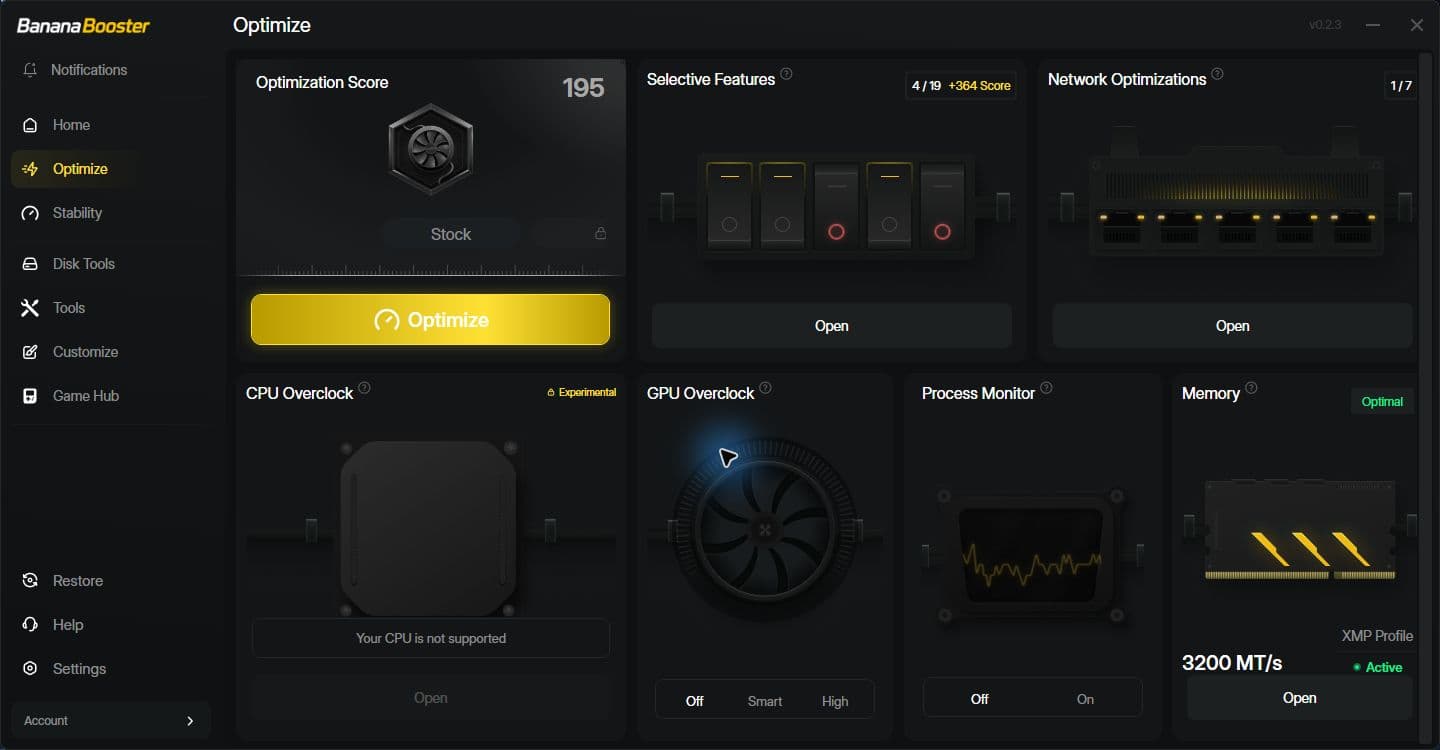
Optimization
Optimization helps you optimize your system to run at its best performance.
Next level power is one click away.
Next level power is one click away.
Get BananaBooster
฿0
Always free · No card
฿699
/year
≈ ฿58/month
Included free
Everything in Free, plus
- Full system scan and score
- Basic clean — the size is shown before anything is deleted
- Shader caches (DirectX, NVIDIA, AMD), Windows Update and Delivery Optimization caches, crash dumps, and Discord, Steam, Epic and Battle.net caches
- Basic tweaks, including the Windows Game Mode and Game Bar switches
- Startup Manager — see and disable what runs at logon; nothing is deleted and every change is reversible
- Network Doctor — ping, jitter and loss to SEA game regions, a bufferbloat grade and Wi-Fi advice; it diagnoses and changes nothing
- BananaBooster's own Real-time Game Mode, Balanced — while you play it raises the game's own priority and frees standby memory, then puts both back when it exits; it leaves your other programs alone
- Lite game preset — vertical sync off and the frame cap lifted, for each of the games we support; nothing that changes how the game looks, and every value is restored exactly as you had it
- Benchmark
- Share Performance Result — a before/after card of your own PC
- Restore and undo
- History
- Advanced and selective tweaks
- MSI mode
- GPU and NVIDIA profiles
- XMP memory profile
- CPU and GPU overclocking
- BananaBooster's own Real-time Game Mode, Performance — the deeper profile: it also lowers the background apps and holds the per-game core and priority settings while you play, then puts every one of them back when the game exits
- Tuned game presets — the curated per-game settings, beyond the free Lite preset
- Scheduled clean — the free cleanups, run unattended daily or weekly
- Auto re-optimize — notices when a Windows update or a driver has reset your optimizations, and re-applies them in one click
The scan is always complete. You see every item found on your own PC, including the ones only Pro can apply.
7-day free trial · No card required
Have a discount code? Enter it at checkout.
Want BananaBooster for the whole team?
Contact Us.How it works
You can't download RAM,
but you can 'download' FPS.
Download BananaBooster
Lightweight installer, zero bloat. You're up and running in under a minute.
Run optimization
We read your hardware, drivers, and Windows config to find what's choking your frames.
Scan your computer
Install in seconds and scan your system for instant performance improvements.
Get FPS boost
One click applies hundreds of hardware-tuned tweaks. Reversible and anti-cheat safe.
How it works
You can't download RAM,
but you can 'download' FPS.
Download BananaBooster
Lightweight installer, zero bloat. You're up and running in under a minute.
Scan your computer
Install in seconds and scan your system for instant performance improvements.
Run optimization
We read your hardware, drivers, and Windows config to find what's choking your frames.
Get FPS boost
One click applies hundreds of hardware-tuned tweaks. Reversible and anti-cheat safe.
Your FPS ceiling just moved.
Apply hundreds of hardware-tuned tweaks. Reversible. Anti-cheat left untouched.
Your FPS ceiling just moved.
Apply hundreds of hardware-tuned tweaks. Reversible. Anti-cheat left untouched.
FAQ
Your questions, answered.
Yes. Even the best hardware is often "choked" by default Windows settings designed for office work, not gaming. BananaBooster focuses on consistency and 0.1% lows. We eliminate the micro-stutters and input lag that high-end parts still suffer from, ensuring your hardware hits its absolute ceiling.
BananaBooster is a subscription, billed once a year. We opted for this model because PC optimization isn't a 'set it and forget it' task. Windows updates and game patches launch weekly; our team works around the clock to update our logic so your PC stays optimized for the latest software. There is one plan, and you can try it free for 7 days without a card.
Every system is unique. If you don't see a measurable lift in FPS or a decrease in latency, reach out to our support team. We offer a 7-day free trial so you can see the results for yourself before ever being charged.
BananaBooster does not inject code into game processes. Optional game presets edit supported game configuration files after backing them up. Anti-cheat compatibility depends on the game and its current rules; we do not claim approval from anti-cheat providers.
Supported settings have restore or undo controls. Review each action before applying it: deleted caches and files cannot be recovered through tweak undo, and a Windows restore point does not back up every file.
Quite the opposite. BananaBooster is designed to be ultra-lightweight. Once your optimizations are applied, the app consumes near-zero resources, leaving all your CPU and RAM power for your games.
We offer optional Smart Overclocking for GPUs and Intel CPUs. Unlike "blind" boosts, our engine runs automated stress tests on your specific silicon to find the fastest stable speed. If your cooling can't handle it, BananaBooster won't apply it.
Yes. The Free plan is permanent and needs no card: the full system scan and score; a basic clean, with the size always shown before anything is deleted, now covering the shader caches for DirectX, NVIDIA and AMD, the Windows Update and Delivery Optimization caches, crash dumps and the Discord, Steam, Epic and Battle.net caches; basic tweaks (including the Windows Game Mode toggle); the Startup Manager; the Network Doctor; Real-time Game Mode's Balanced profile and the Lite game preset; the benchmark with its Share Performance Result card; and restore, undo and history. The scan is always complete — you see every item found on your own PC, including the ones only Pro can apply, marked as locked. Pro adds the work that has to know your hardware, has to be done safely, or has to run while you are not there: advanced and selective tweaks, MSI mode, GPU and NVIDIA profiles, XMP, CPU and GPU overclocking, Real-time Game Mode's deeper Performance profile, the tuned game presets, scheduled cleaning and auto re-optimize.
It pings a fixed, published list of endpoints inside the datacentre regions South-East Asian game servers run from — Singapore, Hong Kong and Tokyo — plus two public resolvers as a reference, and reports the average, the jitter and the packet loss for each. Then it downloads a fixed test file while it keeps pinging, and grades the gap between your idle latency and your loaded latency as bufferbloat, A to F. On Wi-Fi it also reads the band and the signal strength and tells you what it sees. Read those the way you would read a benchmark run on a standard scene: they are one route, from one PC, at one moment. Another PC on the same line, or the same PC an hour later, will read differently, and none of it is a promise about any particular match. The Doctor only measures and explains — it changes no setting on your machine. The one thing it can suggest, a public DNS resolver, is the free tweak you apply yourself with a single press.
Balanced is the free Real-time Game Mode profile: it raises the running game’s priority, requests a 0.5 ms timer for BananaBooster’s own process, and purges standby memory once. Performance is the Pro profile: it also lowers selected background programs’ priority and applies your per-game overrides. It does not close, suspend or uninstall those programs. Anti-cheat processes, Windows Defender and protected system processes are excluded from background lowering. On a normal session exit, the app restores recorded priorities and releases its timer request. Purged standby contents are not restored. Windows’ own Game Mode toggle is a separate free basic tweak.

Join the community
Get support, updates, and practical PC tuning advice from the BananaBooster community.
Join the BananaBooster creator program
Convert on your influence with your community into long term recurring revenue
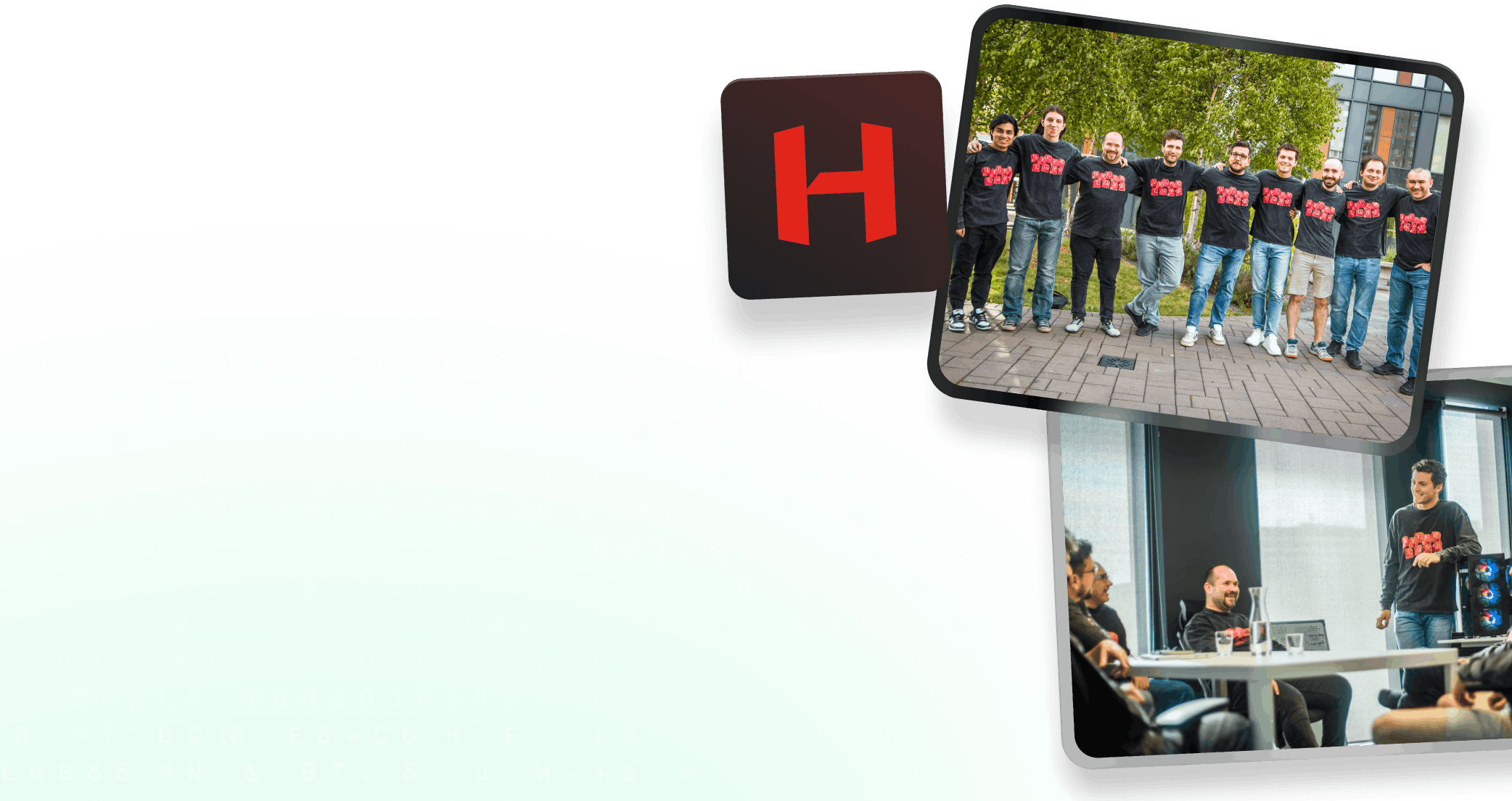
Join the team
We're building the future of PC performance for the generations ahead. If you want in, we want to hear from you.